How to Stop Restarting Every Monday and Keep Going

Keep blowing the week by Thursday and promising a fresh start on Monday? Use this reset to salvage the current week and stop the repeat loop.
Table of Contents
How to stop restarting every Monday is not really a motivation problem.
It is a week-salvage problem.
You miss one workout on Tuesday, one study block on Wednesday, or one side-project session on Thursday. Then something stupid happens in your head: the week starts feeling spoiled. Instead of saving the remaining days, you emotionally write them off and promise yourself a clean restart on Monday.
Then Monday becomes another ceremony.
New notes page. New schedule. New promise that this week will be different.
By Thursday, the cycle is back.
That is the lived situation behind this search. Not laziness. Not lack of goals. Usually just an all-or-nothing execution model that turns one slip into four lost days.
This guide shows you how to stop restarting every Monday, salvage the week you are already in, and keep your goal moving without needing a dramatic fresh start ritual.
What restarting every Monday actually means
Restarting every Monday means treating the current week as dead after an early slip, then pushing your real effort into a future clean slate that rarely stays clean for long. The pattern protects your feelings for a moment, but it destroys continuity.
That definition matters because normal weekly planning is not the issue.
A weekly review is fine. A Monday reset after vacation is fine. A new plan after a real schedule change is fine.
The problem is the emotional write-off.
You are no longer asking, "What can I still do with this week?" You are asking, "How fast can I escape the evidence that this week already got messy?"
That is why the loop feels productive and useless at the same time.
Why people keep waiting for Monday
This pattern usually comes from four failure modes.
1. One missed block contaminates the whole week
Some people do not just miss a session. They miss a session and then lose trust in the entire plan.
Example:
- Tuesday workout missed
- Wednesday feels off
- Thursday becomes recovery planning
- Friday gets treated like a throwaway day
- Sunday night becomes "the real restart"
That is not time management. That is contamination logic.
The week did not actually die. Your trust in the week died.
2. Monday feels cleaner than today
Monday has a branding advantage.
It sounds organized. It sounds serious. It lets you imagine a neater version of yourself than the one sitting here on a tired Thursday night.
The problem is that Monday is often being used as an emotional hiding place. You delay the awkward restart because a future version of the week feels easier to respect than the current messy one.
It almost never is.
3. Your tasks are too vague to restart midweek
If the plan says:
- get back into studying
- work on app
- make progress on portfolio
then of course you want Monday.
Those are not restart points. They are categories.
A fuzzy task makes every reentry feel heavier than it should. That is why people who struggle with the Monday loop often also struggle with How to Stop Re-Planning Every Day and Actually Start. When the next move is unclear, the brain reaches for a cleaner planning moment instead of a smaller action.
4. You are grading yourself on perfect weeks
If your standard is "I followed the plan exactly," then the first miss makes the whole week feel lost.
That scoreboard is broken.
Most real progress comes from ugly weeks that were salvaged well:
- the workout moved from Tuesday to Thursday
- the project block shrank from 90 minutes to 25
- the study plan lost one chapter but kept the critical practice set
Messy continuity beats clean restarts. Every time.
The Monday reset trap vs the midweek salvage approach
These two mindsets feel similar for one evening. Then they create very different weeks.
| Pattern | What it sounds like | What it causes |
|---|---|---|
| Monday reset trap | "This week is already ruined." | One missed session becomes several dead days |
| Monday reset trap | "I will start properly next week." | You postpone the awkward restart point |
| Monday reset trap | "I need a cleaner system first." | Planning replaces execution |
| Midweek salvage | "The week is still alive if one useful session survives." | Continuity stays intact |
| Midweek salvage | "I only need the next closed task." | Restart friction drops fast |
| Midweek salvage | "The floor version still counts." | You stop treating imperfect weeks as failure |
That last line is the real upgrade.
You do not need more fresh starts. You need a system that survives ugly Wednesdays.
How to stop restarting every Monday in 5 steps
If this loop keeps burning your weeks, use this protocol.
1. Declare the week alive after the first slip
The moment something misses, say it plainly:
"The week is still alive."
That sounds small. It is not.
You are interrupting the automatic story that says one miss means the schedule no longer matters.
Use a simple rule:
- one missed session does not trigger a full reset
- one bad day does not cancel the week
- one emotional dip does not justify waiting for Monday
The job after a slip is not perfection. The job is preserving continuity.
2. Build a floor version for the back half of the week
If your plan only has one speed, it will keep breaking.
Create three effort tiers for every important weekly path:
- Floor: 10-15 minutes
- Standard: 25-40 minutes
- Deep: 60+ minutes
Now when Thursday gets messy, you do not need to choose between "full session" and "zero." You can run the Floor and keep the chain alive.
Examples:
- coding goal: review one open issue and ship one tiny fix
- fitness goal: one short circuit at home
- study goal: answer 10 practice questions and mark weak areas
- writing goal: draft one rough paragraph
This is the same reason How to Stay Consistent With an Unpredictable Schedule works for people with chaotic weeks. A plan that can resize itself survives reality better than a plan that demands full compliance.
3. Replace the Monday restart with a 24-hour repair window
Do not wait four days to re-enter the plan.
Use a repair rule instead:
After any missed session, the next useful contact with the goal must happen within 24 hours in Floor or Standard form.
That could mean:
- missed Wednesday workout
- Thursday lunch break becomes a 12-minute bodyweight session
- Thursday night becomes optional instead of morally overloaded
Or:
- missed Tuesday study block
- Wednesday commute becomes flashcard review
- Wednesday evening becomes one short practice set
The point is not to "make up" the session perfectly. The point is to stop the gap from expanding into a fake weekly collapse.
If your problem is already bigger than one day, How to Get Back on Track After Missing a Week Fast covers the heavier reset. This post is about catching the failure earlier, before the whole week dies.
4. Predetermine one exact restart task
"Get back on track" is not a task.
You need one restart move that is so specific it leaves no room for bargaining.
Bad restart tasks:
- resume project
- catch up on course
- be productive tonight
Good restart tasks:
- open the landing page repo and fix the mobile padding bug in the hero
- answer 12 subnetting questions and review mistakes
- outline the About section in 20 minutes
This is where Kognivu fits naturally. A decent AI daily planner should not hand you another motivational speech after a slip. It should turn the comeback into one clear quest with scope small enough to survive a messy week.
5. Review the week by recovered sessions, not by purity
At the end of the week, do not ask:
- Did I execute the original plan exactly?
Ask:
- How fast did I recover after the first miss?
- Did I use the Floor version instead of waiting for a clean day?
- Did at least one important path stay alive?
- What kind of task made me want to postpone until Monday?
Those questions find the real problem.
Maybe the weekly load is too high. Maybe the tasks are too vague. Maybe you keep planning for a fantasy version of your evenings.
That diagnosis is worth a lot more than another polished Monday reset.
What to do if it is already Sunday night
If you are reading this on Sunday because the week already got away from you, do not build a huge redemption week.
Use this instead:
- pick one goal only for the next five to seven days
- define the Floor version for that goal
- schedule the first two sessions as exact tasks
- decide what counts as a 24-hour repair if session one slips
- remove everything that is not protecting that path
That gives you a real weekly plan.
What does not help:
- rebuilding your whole life system
- writing 14 priorities
- pretending next week will have more energy than this one
If your Monday plans keep turning into avoidant redesign sessions, Why You Keep Planning and Never Taking Action is the right companion read.
Where Kognivu helps
The hardest part of this loop is not ambition.
It is reentry friction.
After one miss, people start reopening too many decisions at once:
- what matters now
- what to cut
- what tonight's task should be
- whether the week still counts
That stack of decisions is where the Monday fantasy gets attractive.
Kognivu is useful because it shortens that stack. The AI Architect can break a goal into milestones and daily quests before the week gets messy, and the AI Coach can keep the next move concrete when you are tempted to delay until a cleaner start point.
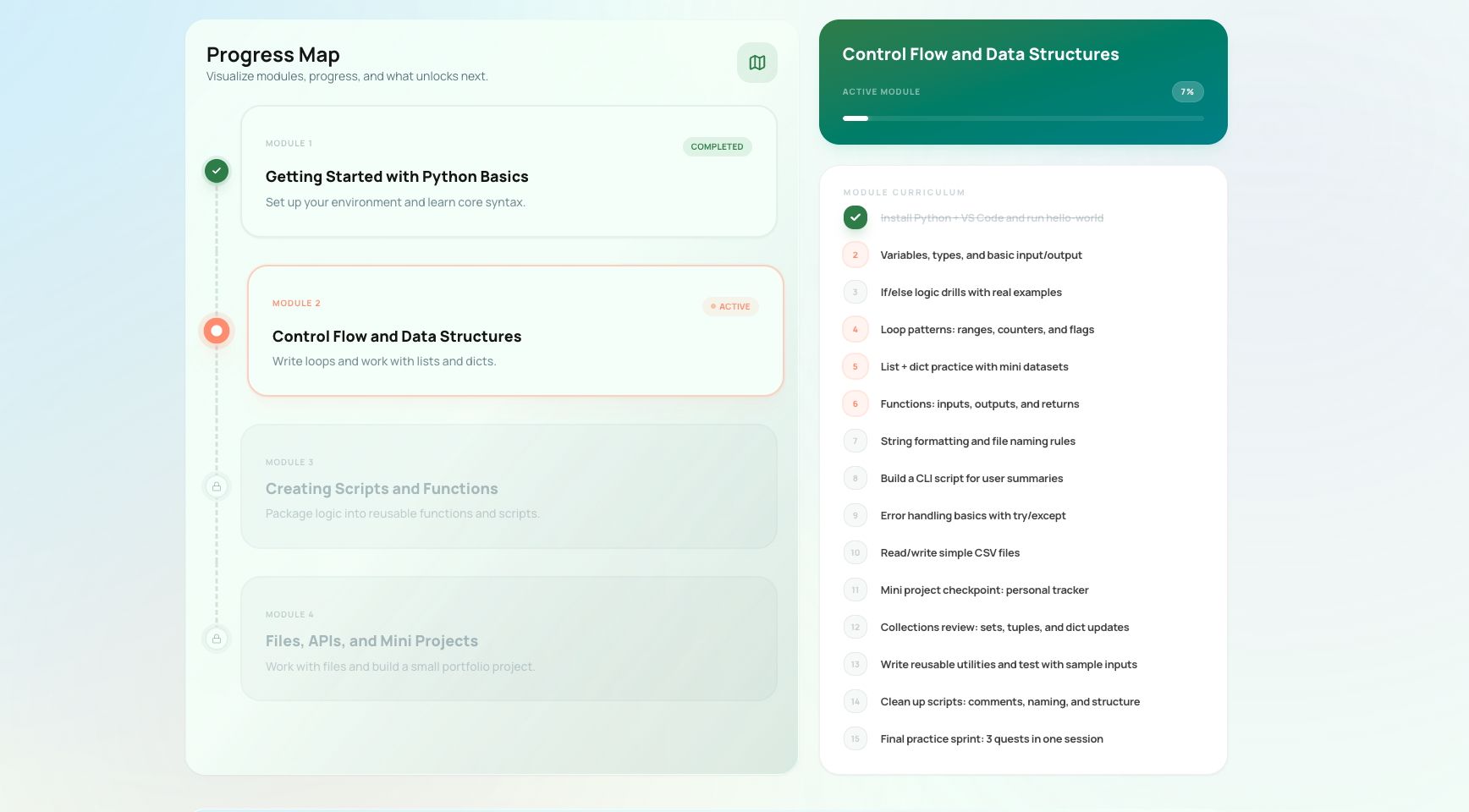
That matters when the real problem is not "I do not care enough." The real problem is "I lost one step and now the whole week feels fake."
FAQ
Is it bad to reset on Monday sometimes?
No. A normal weekly review is useful. The problem is when Monday becomes your hiding place every time the week gets messy.
What if the current week really is unrecoverable?
Then shrink the target, not your identity. Save one useful session, preserve one critical path, and let the rest die if it needs to. Partial salvage is still progress.
How fast should I restart after a missed day?
Within 24 hours is a good default. The exact form can be tiny, but real contact with the goal should happen before the gap becomes a story.
What is the fastest change that stops the loop?
Predetermine a Floor task for each goal and use it the same day you miss the original session. That one change removes a lot of fake Monday drama.
Ready to Turn Your Goals Into Daily Action?
Kognivu is an AI-powered life coach and daily planner that does exactly what this post describes: it breaks your goal into a structured roadmap, then delivers clear daily quests to keep you moving.
Build your execution plan and start immediately. Plus and Pro include a 3-day trial.
Written by
Ilia Sorokin
Founder of Kognivu. Writes about personal goal planning and reviewing AI-generated plans.
About the authorNext step
Need product path, not just theory?
If goal tracking apps keep showing data without changing behavior, Kognivu offers a more active execution-first alternative.
Explore Alternative to Passive Goal Tracking AppsContinue Reading
More from Productivity Systems